Search This Blog

Friday, November 12, 2010

Finally believe it has been developed.

After spending so much time on this i can almost understand the argument of why game creators do create water in the manner that the do. I have yet to get the Level of Detail Node to work completely along with the facing ratio node. This will allow the water to be at the perfect amount of detail and retain the correct visual properties completely based off of where the plane is being viewed from. I have however managed to resolve the biggest issue of the random looping of the geometry through the displacement map animation. Two simple things had to occur for this to happen. First if you animate a fractal you can go into its properties of animation and you must change the post and pre infinity to cycle with offset. After this you must set a new expression on the animated time for the fractal. This MEL script is very simple...Nameofobject.translateX=rand(0.5) this allows the x value of the translation that occurs due to the fractal randomizing the geometry of the plane to pick random integers between 0-.5 everytime the animation is restarted. You can then repeat the process if the object is also animating the geometry on the Y or Z axis. 


Part of the hypershade for one texture pack for the facing ratio when it is directly viewed from the top view.


Wednesday, November 3, 2010

Vector displacement maps and brushes

Vector displacement map

CGTalk thread inquiring about how to utilize vector displacement maps.
http://forums.cgsociety.org/showthread.php?f=7&t=932050


Wednesday, October 27, 2010

Link to cg talk question

This is the link to my CGtalk post and also to one of the most interesting tutorials and methods of modeling i have ever seen.

http://forums.cgsociety.org/showthread.php?f=221&t=928449

Thursday, October 21, 2010

I have tried all of these different forums in hopes that someone would have answers as to how to create a stencil for mudbox but thus far no one has posted an answer. I have posted my question on cgtalk in the mudbox forum but it takes upto 24 hours to make sure my post is not spam.

 Also have new textures on the springs but cant get it to render out. It seems to be to intensive for my laptop and for the computers here at school.


http://download.autodesk.com/esd/mudbox/help2009/index.html?url=WS73099cc142f48755-471cc4bd11960d8a16c-6ed7.htm,topicNumber=d0e13185
http://download.autodesk.com/esd/mudbox/help/topics/UserGuides.Stencils.html
http://www.pixologic.com/docs/index.php/ZBrush_To_Maya_Displacement_Guide#Generating_a_Displacement_Map
http://forums.cgsociety.org/forumdisplay.php?f=221

Thursday, October 14, 2010

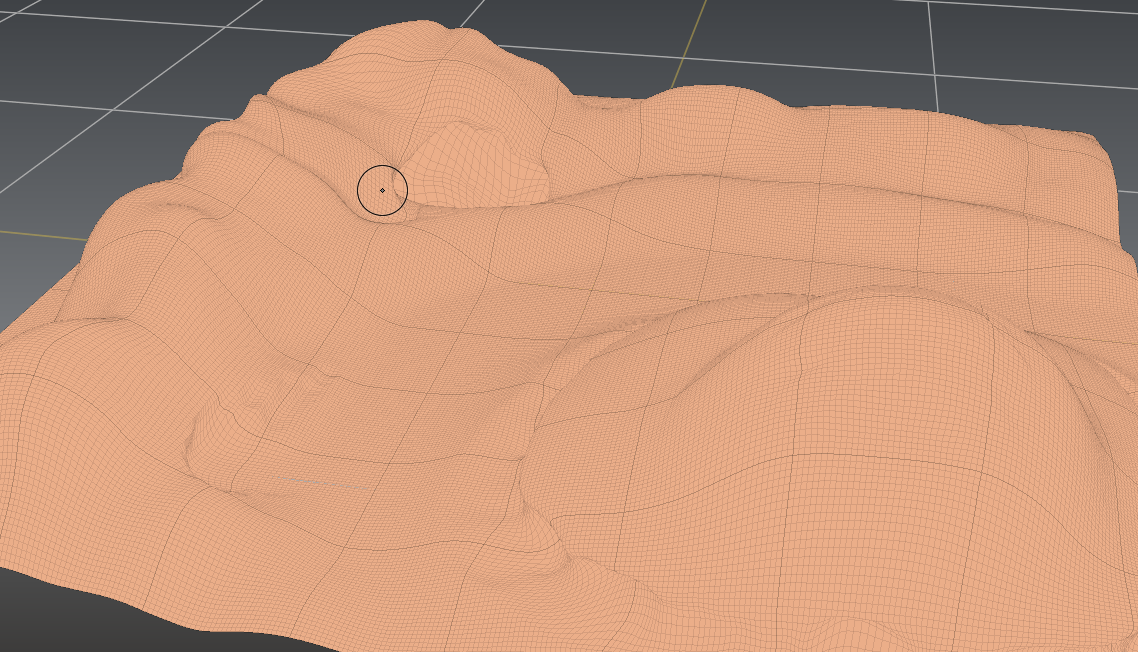
Mudbox Modeling

Finished most of the modeling in Mudbox. Waiting to use the displacement map still trying to figure out the new tincturing system first.

The high poly version with Wireframe.


Attempting to texture this but not even close to the result i wanted.

With the new texturing system i can make this object and picture which looks hilarously bad into this:


Which is much nicer. It implements three different textures and uses a fractal to randomize the placement in order to make it look more random and less uniform so it looks realistic.

Hypergraph set up of the new texturing system. Tutorial video on how to coming possibly tonight.

Factory setting had to remodel the buildings due to there structure the uvs where a pain to lay out and the textures are working much nicer now. Also went back and remodeled the base shape with multiple objects that are not combined to make uving easier.

New Ground Plane fixed the peative nature and figured out how to layer in even more subtle details such as in the top right corner there is sorta a hole with a craked part of earth.

Monday, October 4, 2010

James Paick

Free lance illustrator from LA.
Has worked in every aspect of illustration and has agreed to let me use one of his concepts and devolope it into a 3d model.

http://scribblepadstudios.com/gallery/